

TrackTV
A private TV and movie tracking application for managing watch progress, upcoming releases, and personal viewing history.
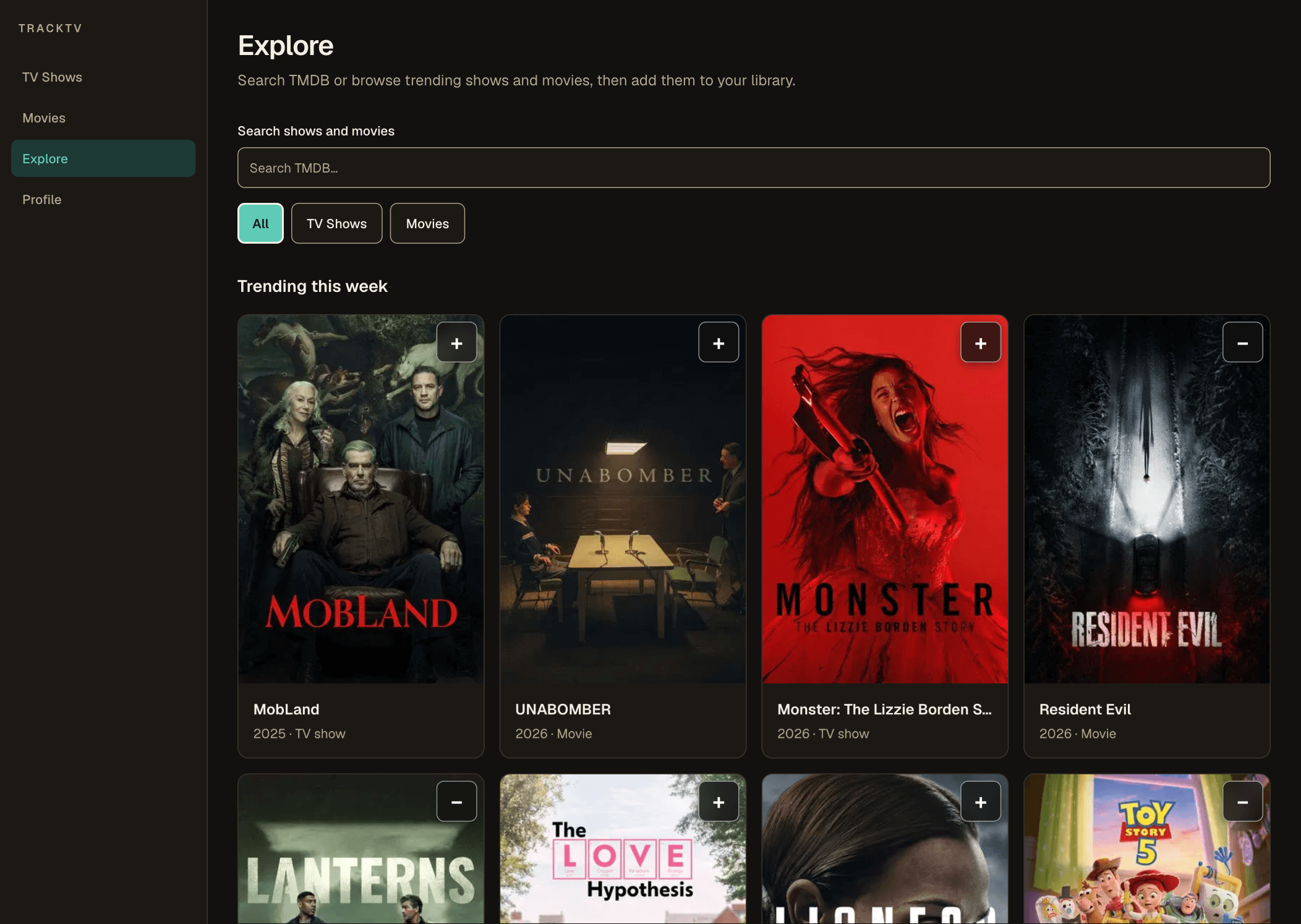
Overview
Built a full-featured media tracking experience with Next.js, React, and TypeScript. The application combines server-rendered pages with interactive client components for search, previews, watch progress management, and personalized libraries. It includes TMDB integration, authentication, history migration workflows, and responsive interfaces designed around real user workflows.
A full-stack TV and movie tracker built around how people actually watch shows, not just a watched/unwatched flag.
A personal library, not just a single tracking screen
TrackTV brings TV shows and movies into one place: a library for what's actively being watched, separate watchlists for movies and upcoming TV, and a view for what's airing next across tracked shows.
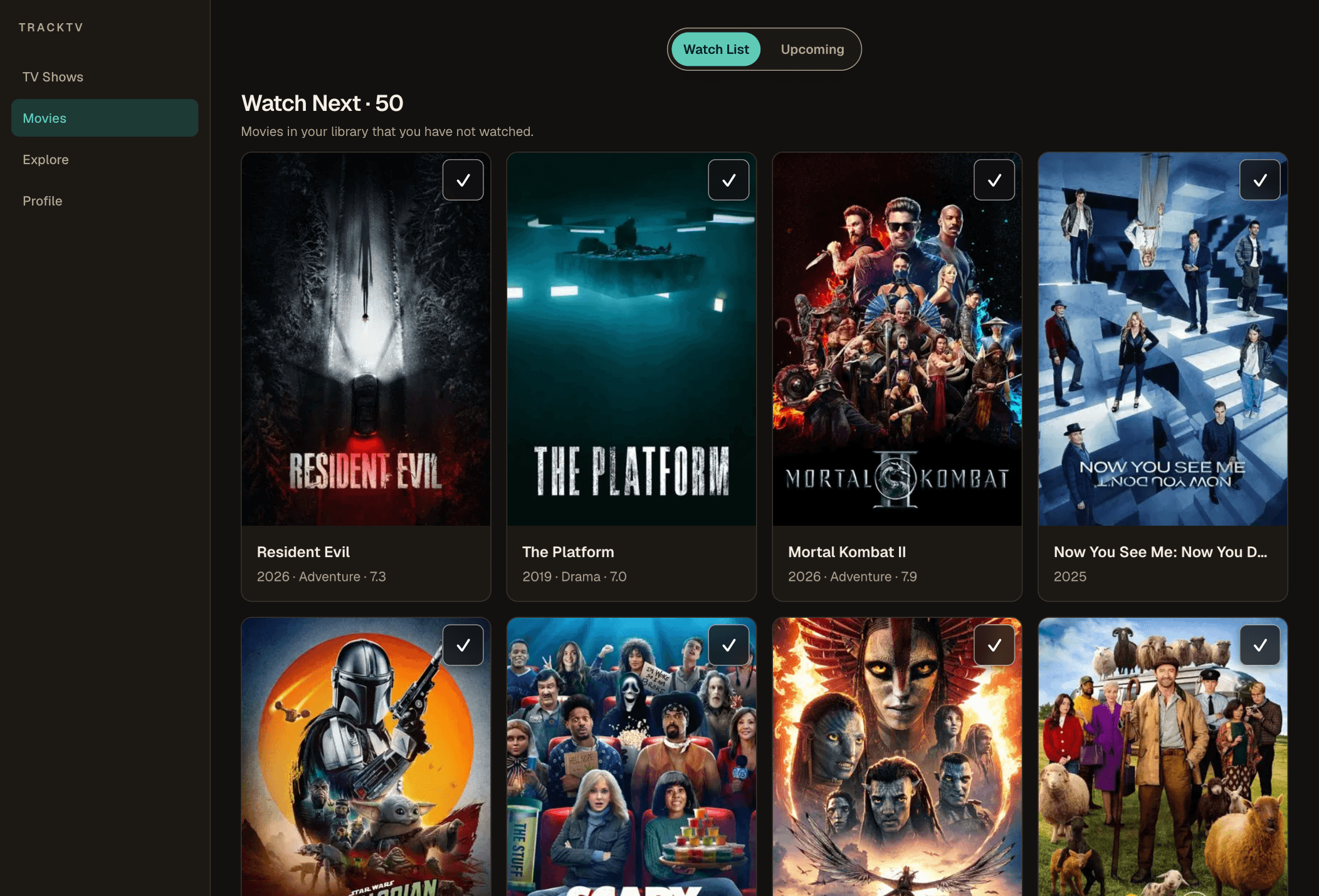

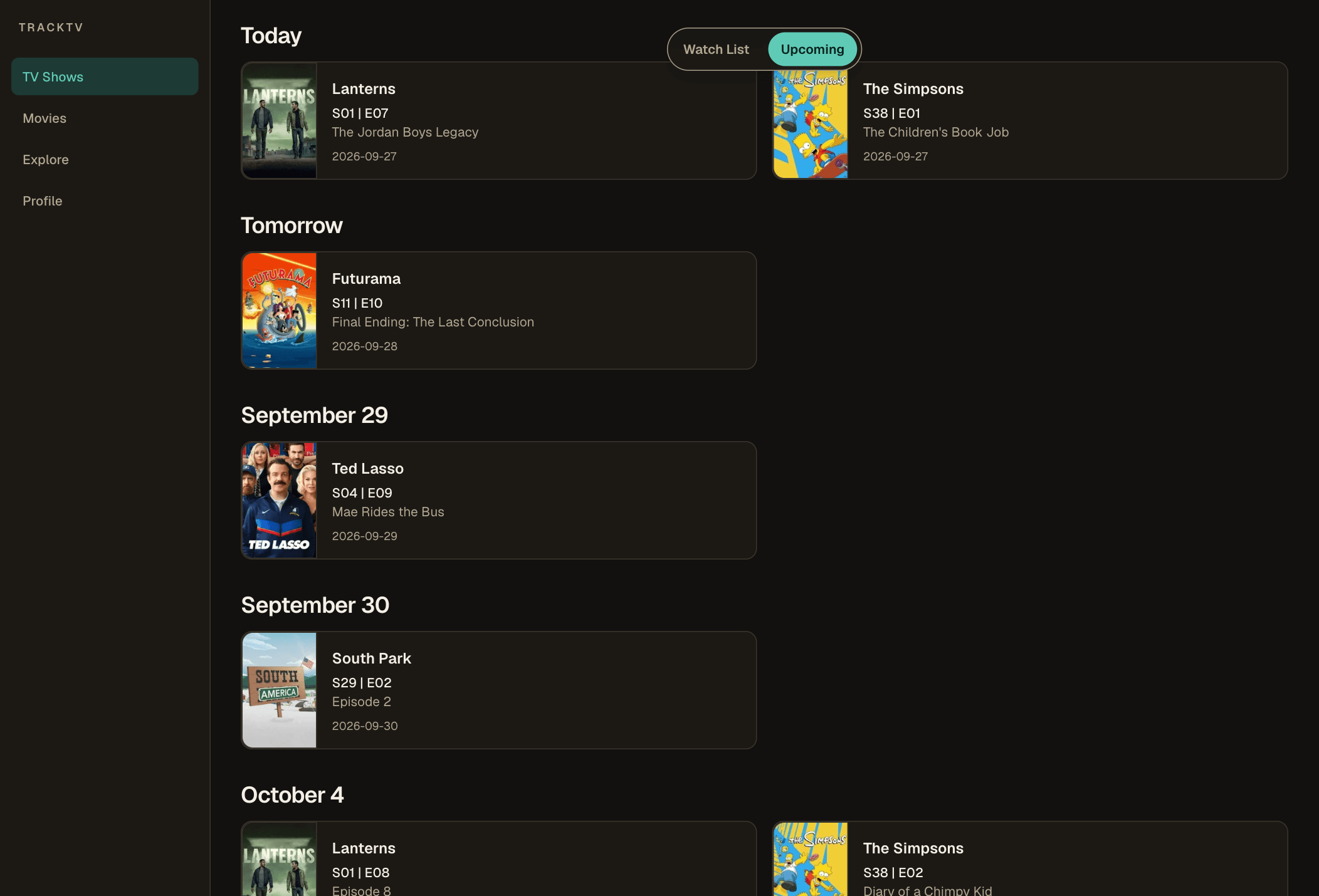
Progress that understands how a show is actually being watched
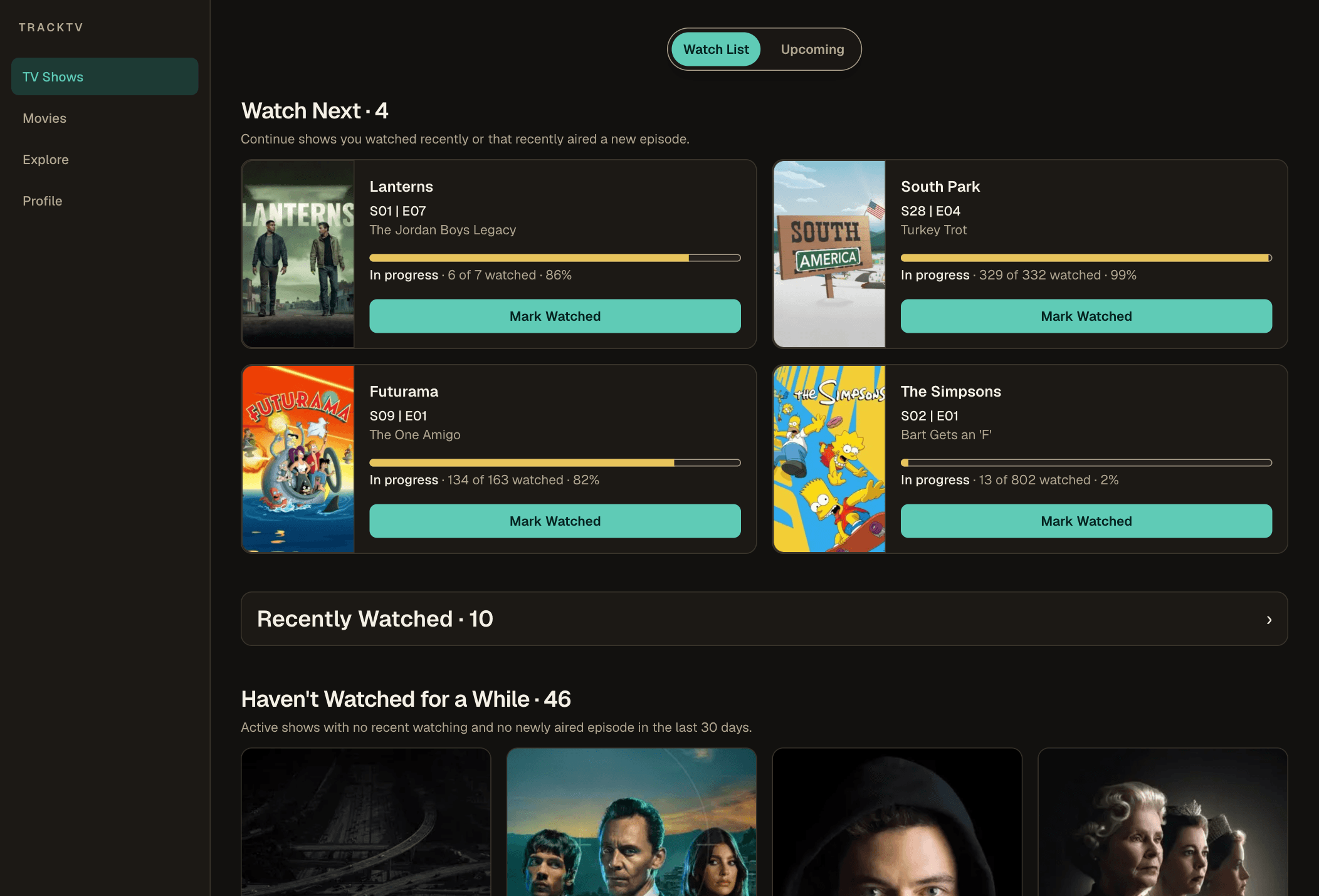
A show's state is derived, not manually set: once every released regular episode is watched, it's marked complete if the show has ended, or caught-up if it's still airing. Progress itself only counts released, dated, non-special episodes, so unaired episodes and Season 0 specials never distort the count.
- Watch Next surfaces the first released, unwatched episode in order, with a direct 'Mark Watched' action, so users don't have to navigate through a season to find where they left off.
- Shows are grouped by real activity: actively watched shows with recent progress, shows untouched for a while, and separate categories for unstarted, paused, and dropped shows.
- Every episode watch is stored with its own timestamp, so history reflects when things were actually watched, not just a single running counter.
A quick-view that respects browser navigation
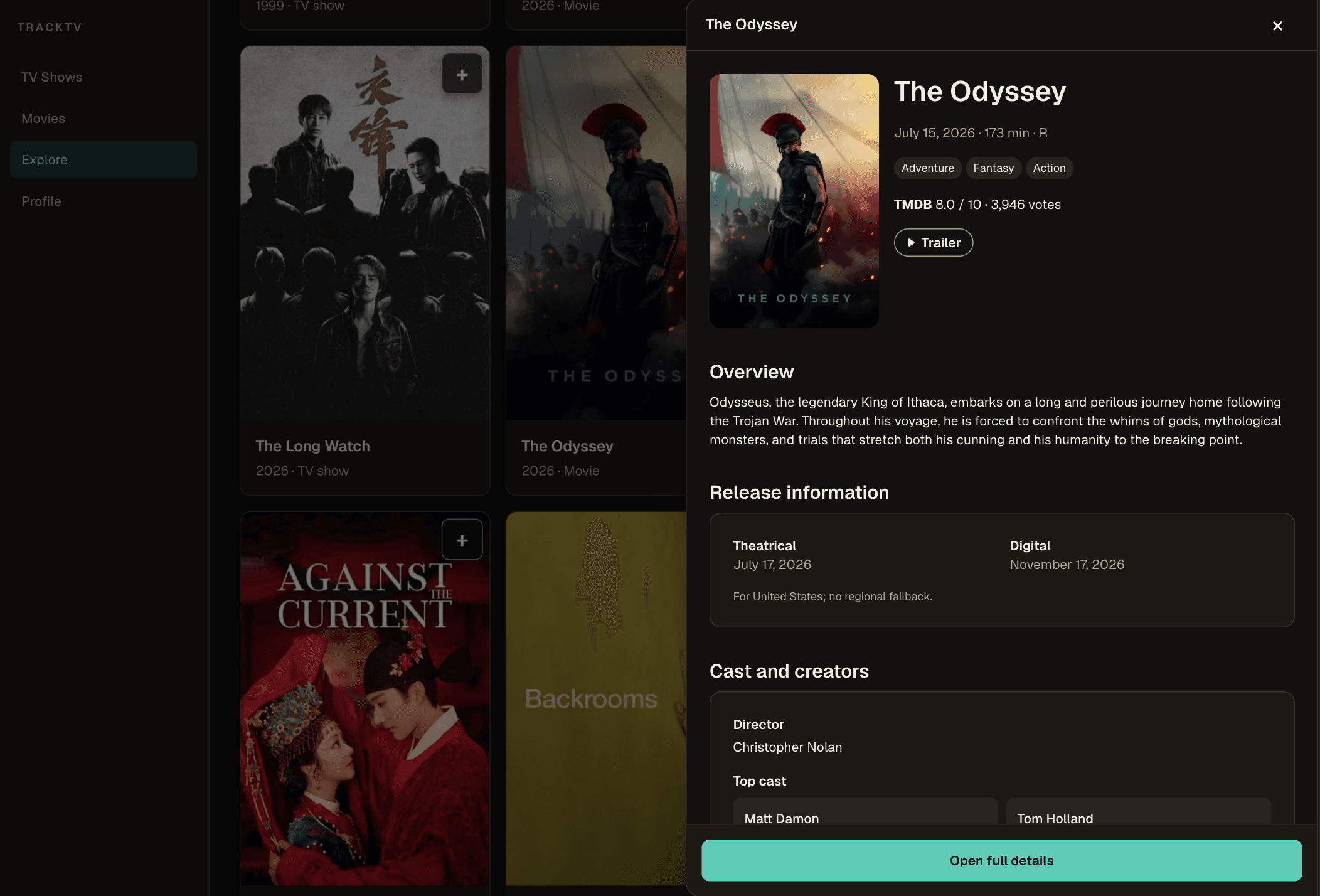
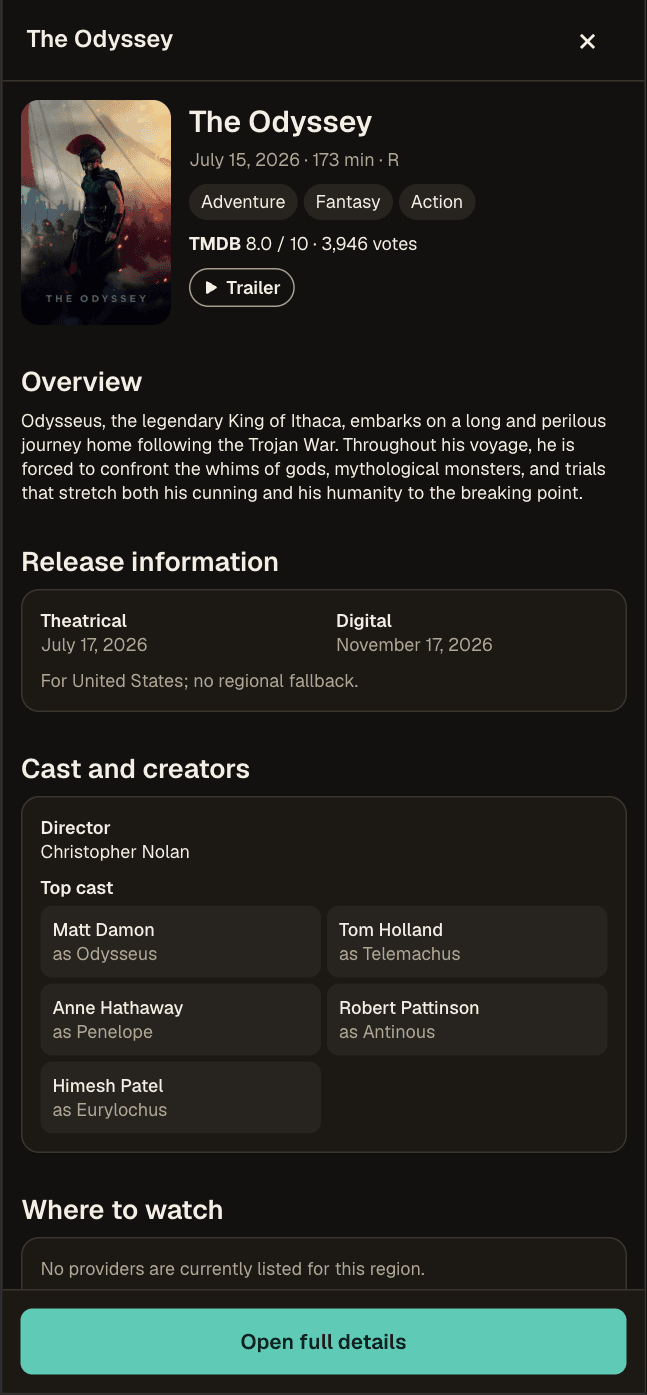
Clicking a search result opens a quick-view over the results instead of navigating away — a modal on mobile, a right-side panel on larger screens, both backed by the same interaction and data-fetching logic.
- The preview's open/closed state is pushed into the URL, so the browser's Back button closes it naturally instead of leaving the page — this wasn't just a modal bolted onto the search view, it's treated as real navigation state.
- Preview details are fetched asynchronously without blocking the underlying search results from staying interactive.
Watch time computed from real runtimes, not estimates
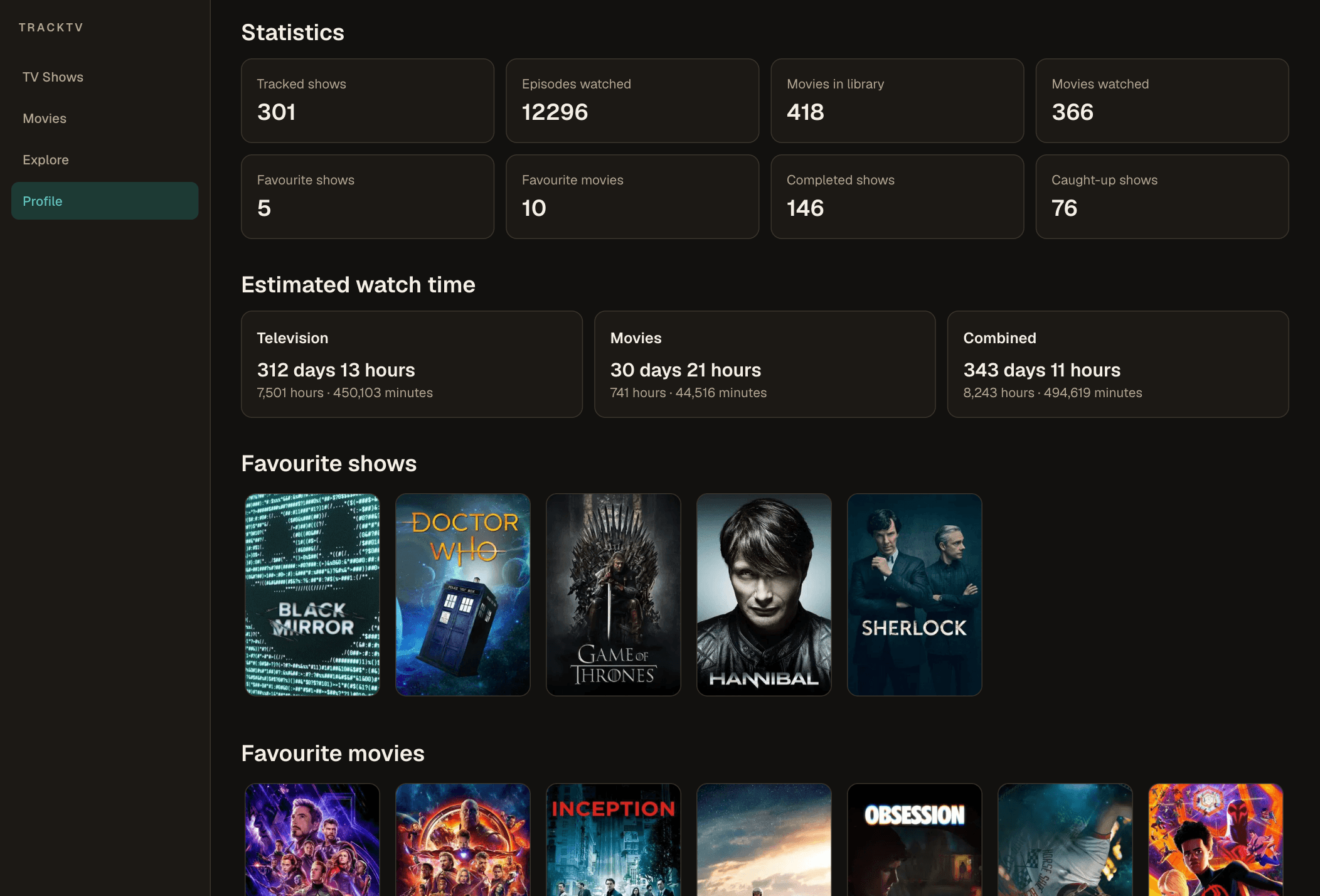
The profile aggregates viewing history into a snapshot: episodes and movies watched, shows tracked, completed vs. caught-up shows, and total watch time — split into television, movies, and combined. Watch time sums each item's actual stored runtime rather than a flat per-episode estimate, falling back to a show's average episode runtime when a specific episode's runtime is missing.
- Computed live on every profile view rather than cached or precomputed — no aggregate table or materialized view sits behind it.
- Favorites are explicitly marked by the user (a toggle on each show or movie), not inferred from viewing behavior, and shown in full with no ranking or limit.
Importing history without guessing
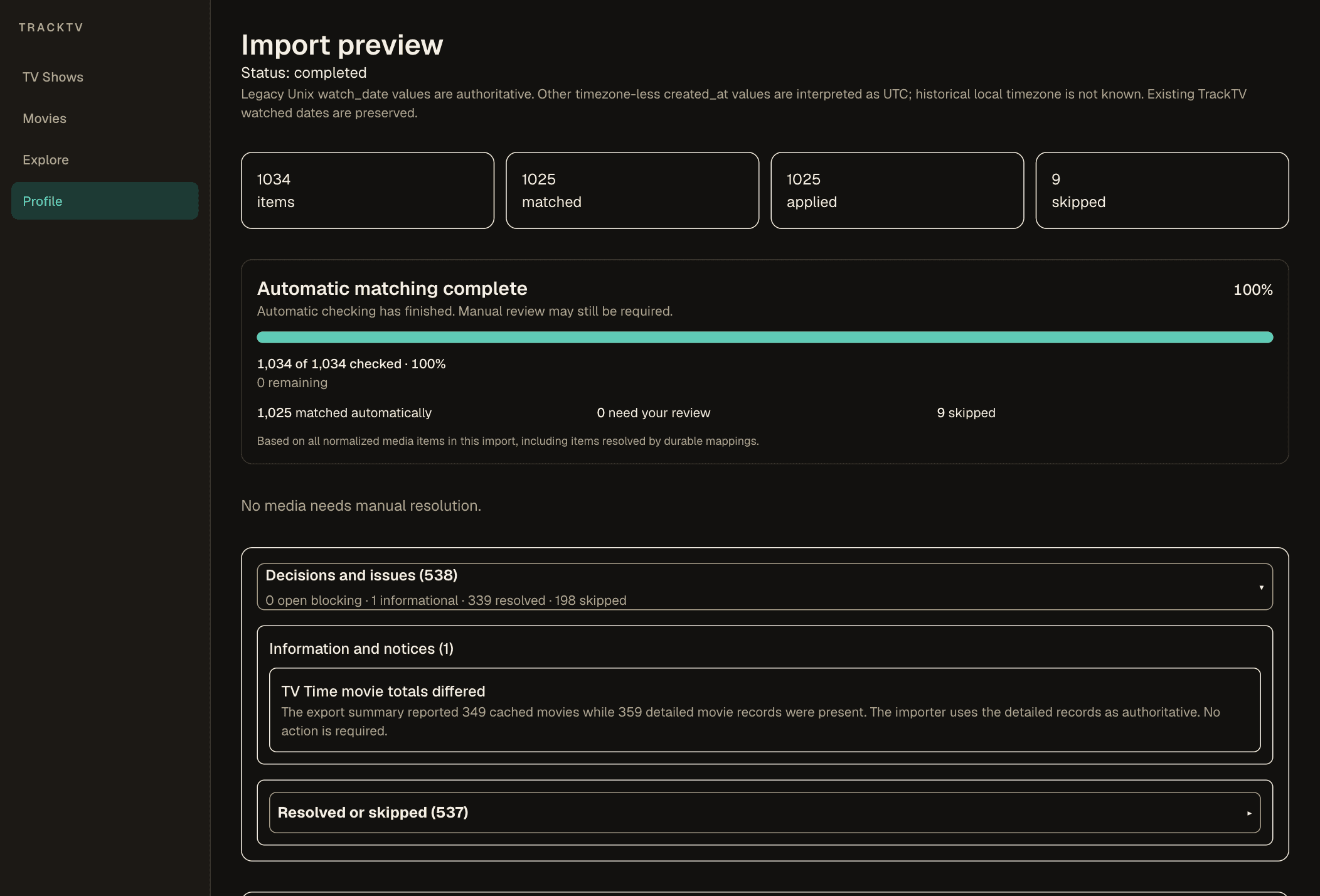
TrackTV supports importing a full watch history from a TV Time data export, including both its legacy and newer record formats. Rather than a blind bulk insert, imported titles are matched against TrackTV's own media data and sorted into confirmed, ambiguous, or unmatched.
- Ambiguous matches can be resolved manually — picking a suggested candidate, entering a TMDB ID directly, or skipping the item — before anything is applied.
- Original viewing dates are preserved through the import rather than reset to the import time, with existing TrackTV history left untouched where it already exists.
Sign-in that works the same on localhost and production
Google OAuth is the primary sign-in method, with an email magic link as a fallback — both routes return through a shared callback and land the user on their library. Existing users who sign in with Google using an already-verified email resolve to the same account through Supabase's identity linking, rather than creating a duplicate profile.
- Found that appending a `?next=` query string to the redirect URL caused Supabase to reject the exact-match allowlist entry and silently fall back to the production Site URL — meaning a local sign-in could redirect to the live site instead of localhost.
- Fixed it by storing the intended post-login destination in a short-lived cookie instead of the URL, keeping the redirect itself an exact allowlist match.